Manage Fractions

Fractions Management
The Fractions Management screen allows you to manage fractional values used throughout the system, including their decimal and millimeter equivalents. Fractions are typically used for item dimensions, specifications, and technical measurements where precise conversions are required.
Fractions are maintained centrally to ensure consistent calculations and display across items, catalogs, and related data.
Navigation
To access Fractions Management:
General → Fractions
This opens the Fractions Management grid, where all configured fraction records are displayed.

Fractions Grid Overview
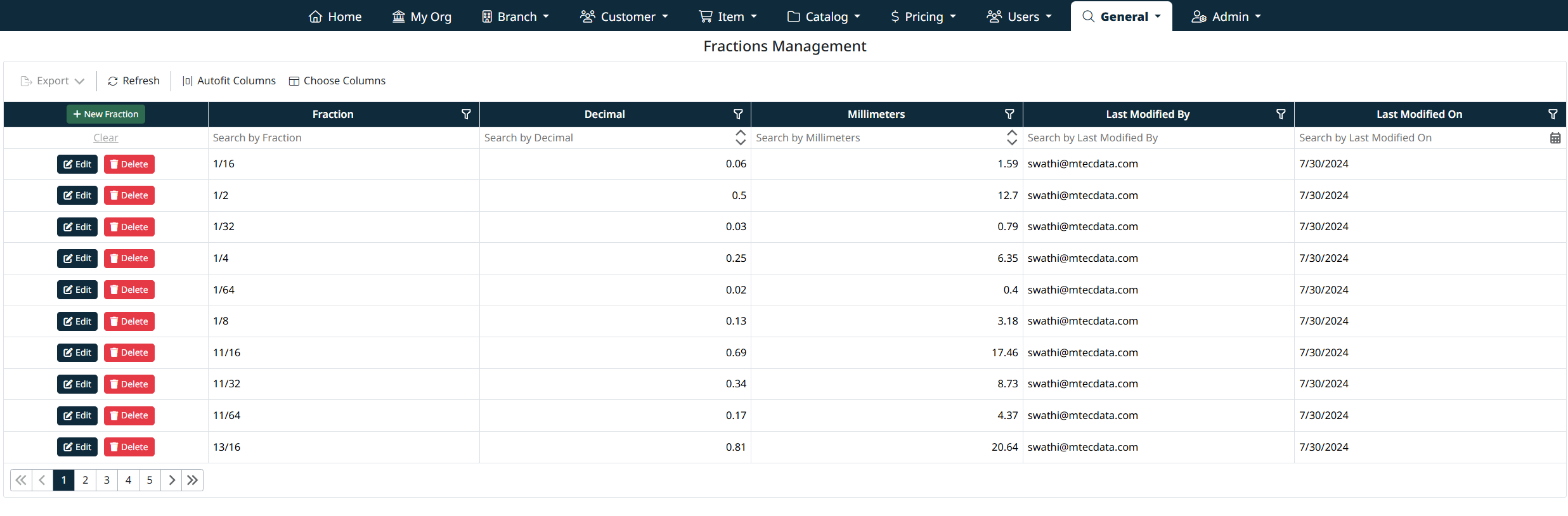
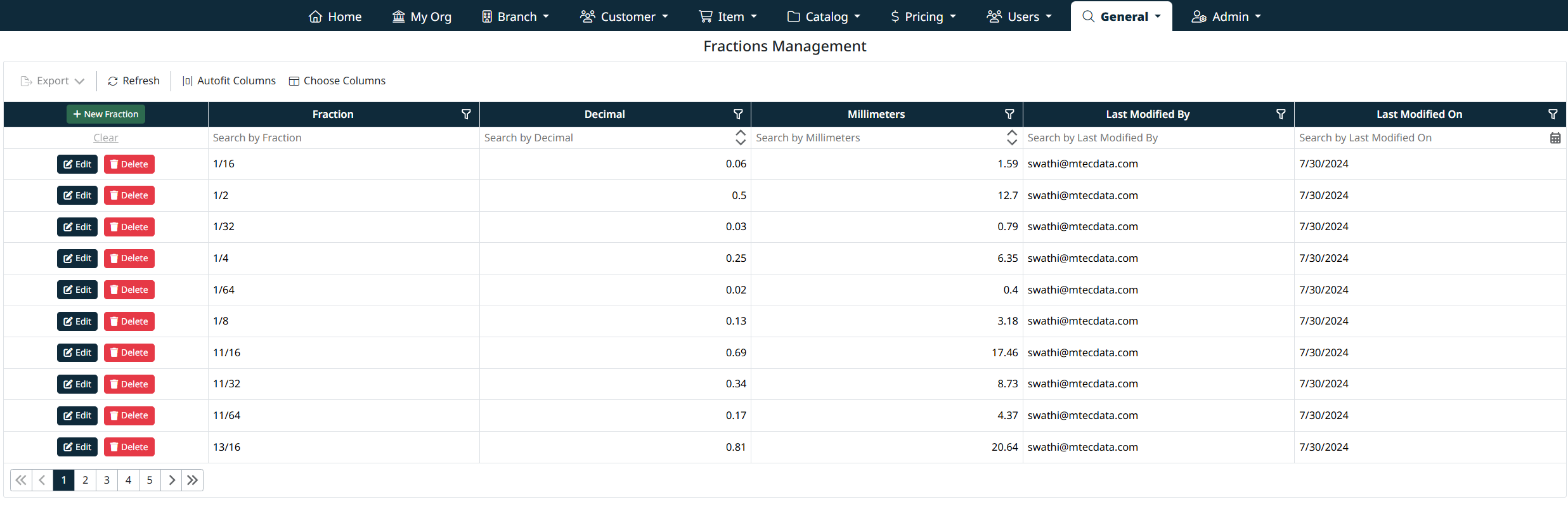
The Fractions grid displays all configured fractions and includes the following information:
- Fraction – The fractional value (for example, 1/16, 1/8, 1/4)
- Decimal – The decimal equivalent of the fraction
- Millimeters – The millimeter equivalent of the fraction
- Last Modified By – The user who last updated the record
- Last Modified On – The date the record was last modified
Each row includes Edit and Delete actions for managing individual fraction records.
Search, Filter, and Grid Controls
The Fractions grid includes tools to help you quickly locate and manage records:
- Column filters for fraction, decimal value, millimeters, and modification details
- Sorting by clicking column headers
- Search fields beneath each column header
- Refresh and column customization options
Pagination controls at the bottom of the grid allow you to navigate through multiple pages of fraction records.
Creating a New Fraction
To create a new fraction:
- Click + New Fraction at the top of the grid
- Enter the required information:
- Fraction Name – The fractional value (for example, 3/16)
- Decimal – The decimal equivalent of the fraction
- Millimeters – The millimeter equivalent of the fraction
- Click Save Fraction to create the record
Click Cancel to discard changes and return to the grid.
Editing an Existing Fraction
To edit an existing fraction:
- Locate the fraction in the grid
- Click Edit on the corresponding row
- Update one or more fields:
- Fraction value
- Decimal value
- Millimeter value
- Click Save Fraction to apply your changes
The grid updates immediately to reflect the modified values.
Deleting a Fraction
To delete a fraction:
- Locate the fraction in the grid
- Click Delete on the corresponding row
- Confirm the deletion when prompted
Important:
Deleting a fraction permanently removes it from the system. If the fraction is referenced by items or specifications, deletion may impact those records.
Best Practices
- Ensure decimal and millimeter values are accurate to maintain measurement consistency
- Avoid deleting fractions that are actively used by items
- Use standardized fractional formats (for example, 1/16 instead of 0.0625)
- Review existing fractions before creating new ones to prevent duplicates
Navigation Grids, Search and Filters
This screen uses a standard grid controls for searching, filtering, sorting, and managing records.
The grid provides the following tools:
- Column filters to narrow results by specific fields (such as IDs, names, notes, and modification details)
- Inline search fields below column headers for quick, column-specific filtering
- Global search bar for keyword-based searching across visible data
- Column sorting by clicking column headers
- Grid actions including export, refresh, auto-fit columns, and column visibility customization
For detailed instructions on using grid search, filters, and column controls, see Navigating Grids, Search, and Filters.
Created with the Personal Edition of HelpNDoc: Free help authoring environment