Customer Management

Customer Management
The Customer Management section allows you to manage customer records, customer sites, and shipping destinations used throughout the application.
These configurations are essential for catalog access, pricing, ordering, and fulfillment workflows.
Use this section to:
- Create and maintain customer records
- Manage customer site locations
- Configure Ship To destinations for customer sites
- Control customer-to-catalog and pricing associations
Available Actions
Manage Customers
Create and maintain customer records, including customer identifiers, names, and general information. Customer records form the foundation for site, catalog, and pricing relationships.
Customer Management - Manage Customers
Manage Customer Sites
Define and manage individual sites for each customer. Customer sites represent physical or logical locations and are used for catalog access, pricing rules, and ordering workflows.
Customer Management - Manage Customer Sites
Manage Customer Sites Ship To
Configure Ship To locations associated with customer sites. Ship To records define where orders are delivered and are used by ordering, EDI, and fulfillment processes.
Customer Management - Manage Customer Sites Ship To
Navigation
You can access Customer Management in two ways:
- From the Home dashboard, select Customer Management
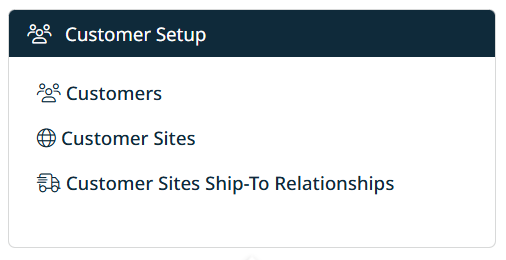
- From the top navigation bar, click Customer and choose the required option

Key Notes
- Customer configuration directly impacts pricing, catalogs, ordering, and EDI workflows.
- Customer Sites and Ship To records must be correctly maintained for successful order processing.
- Changes to customer data may affect downstream systems and integrations.
Created with the Personal Edition of HelpNDoc: Easily create EBooks