Managing Organization Contacts

Managing Organization Contacts
Use this screen to add, edit, and maintain contact information associated with your organization. Contacts are used throughout the system for communication, notifications, and reference purposes.
Access
- From the top navigation bar, select My Org.
- On the My Organization page, select Contacts.
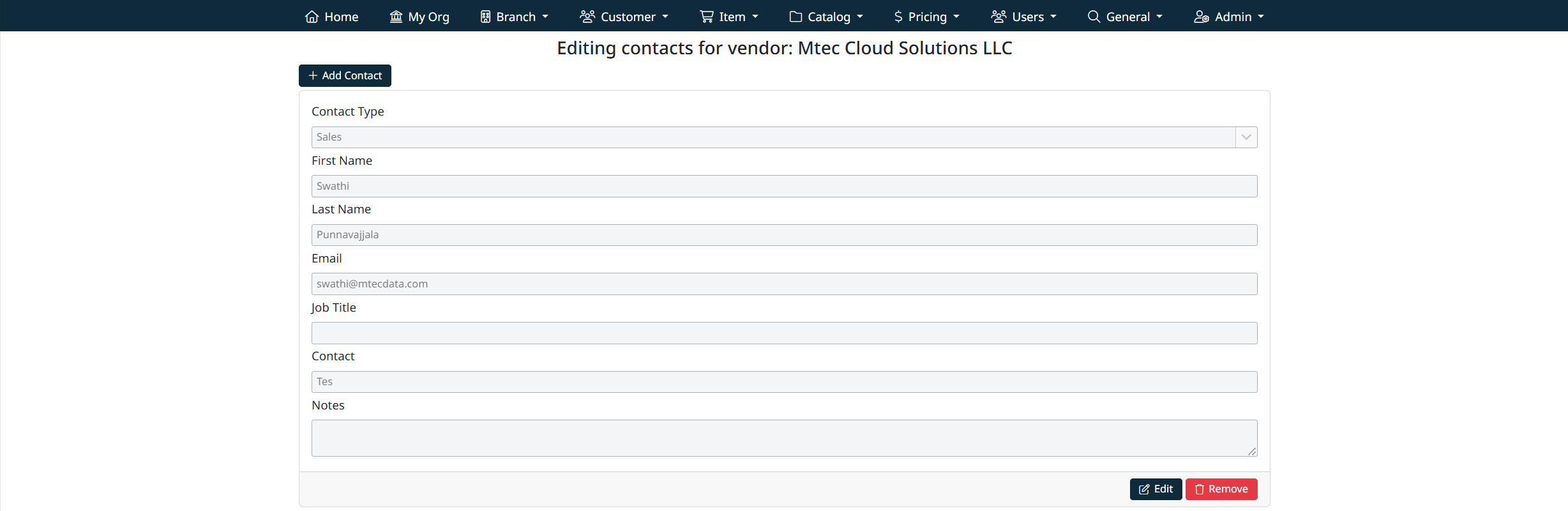
The Editing Contacts for Vendor screen will display, showing all existing contacts for the organization.
Contact Fields
Each contact record includes the following fields:
- Contact Type
Select the type of contact (for example, Supplier Info, Sales, Billing, or Support).
Contact types are managed under General Management.
- First Name
The contact’s first name.
- Last Name
The contact’s last name.
- Email
The primary email address for the contact. This may be used for notifications or correspondence.
- Job Title
The contact’s role or position within the organization.
- Contact
Additional contact information such as phone number or priority level, depending on configuration.
- Notes
Optional internal notes related to the contact. These notes are for reference purposes only.
Editing a Contact
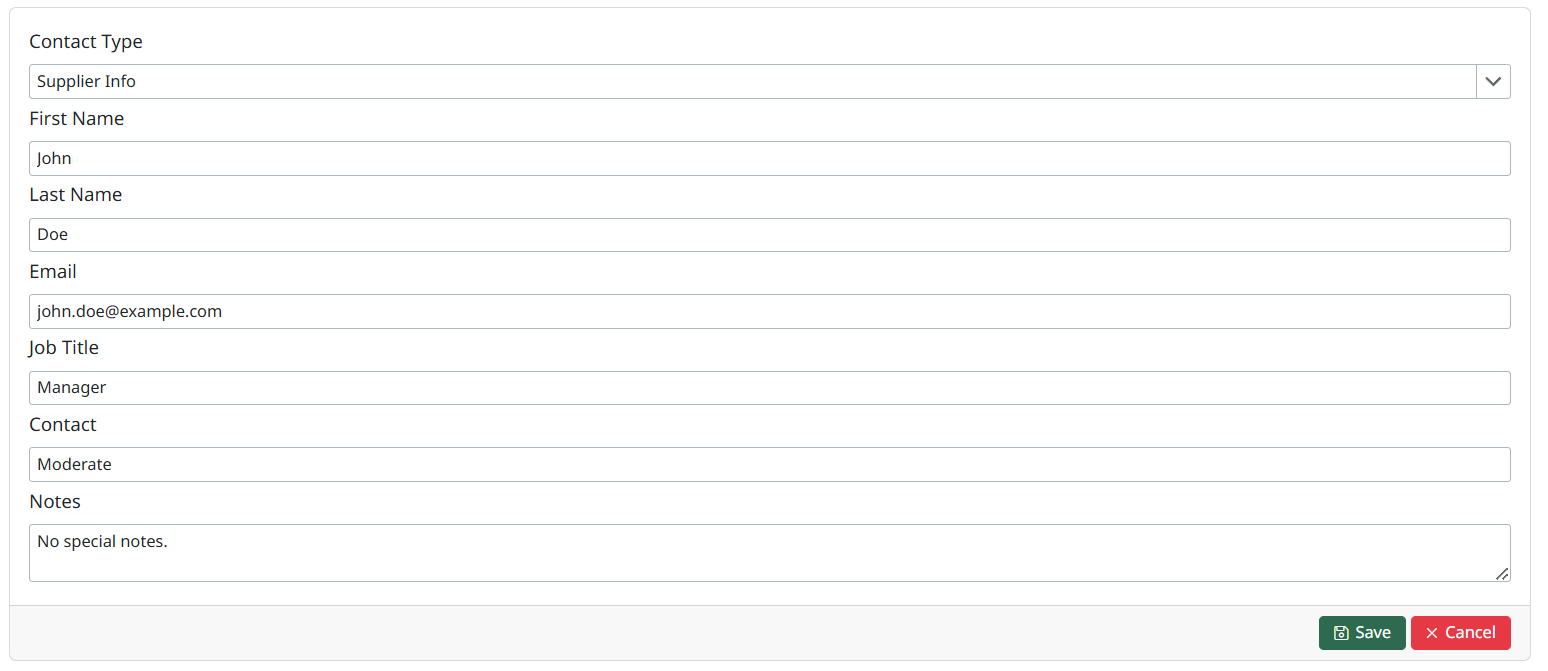
To update an existing contact:
- Locate the contact you want to update.
- Select Edit.
- Modify the required fields.
- Save your changes to apply the updates.
Changes take effect immediately after saving.
Created with the Personal Edition of HelpNDoc: Upgrade your help files and your workflow with HelpNDoc's WinHelp HLP to CHM conversion