Catalog and Pricing Management

Catalog & Pricing Management
The Catalog & Pricing Managementsection is used to organize items, define pricing structures, and manage customer-specific pricing and contracts. This area controls how items are grouped, priced, and made available to customers across the system.
From this section, you can manage catalogs, price books, and contracts to support flexible pricing strategies and customer agreements.
Manage Catalogs
Catalogs are used to group and organize items. They determine which items are available to users and customers and provide structure for browsing and selection.
Use catalogs to:
- Organize items into logical groupings
- Control item visibility
- Support different product offerings
Manage Pricebooks
Pricebooks define item pricing. They can be used as master price lists or customized for specific customers or scenarios.
Use pricebooks to:
- Maintain standard item pricing
- Create customer-specific or contract-based pricing
- Control pricing consistency across catalogs
Manage Contracts
Contracts link customers to specific pricing rules, catalogs, and terms. They allow you to apply negotiated pricing and conditions for individual customers or groups.
Use contracts to:
- Apply customer-specific pricing
- Control which catalogs and pricebooks are available
- Enforce contractual pricing rules
Catalog & Pricing Navigation
The Catalog & Pricing features are grouped together on the Home page for convenience, as they are closely related functions. However, within the main application navigation, Catalog and Pricing are accessed through separate menu dropdowns.
This allows users to quickly navigate to the exact area they need while keeping related functionality clearly organized.
Home Page Navigation
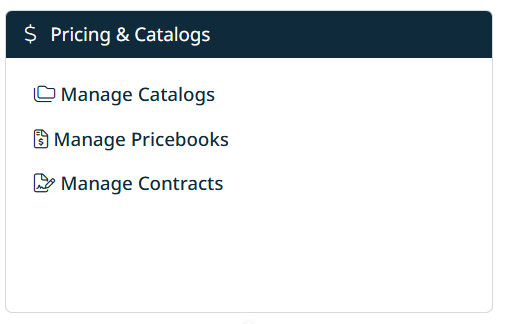
On the Home page, Catalog & Pricing Management appears as a single section that provides quick access to:
- Manage Catalogs
- Manage Pricebooks
- Manage Contracts
This grouped view reflects how catalogs, pricebooks, and contracts work together to define available items and pricing structures.
Main Navigation Menu
In the top navigation bar, Catalog and Pricing are separated into their own dropdown menus:
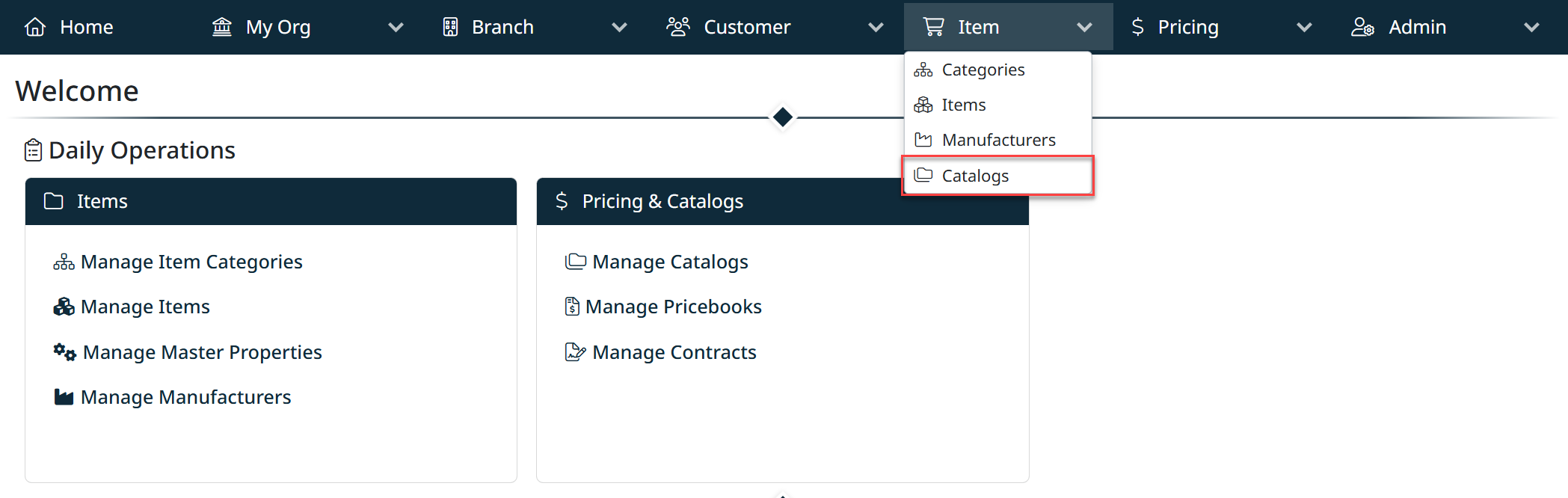
Catalog Menu
Use the Catalog menu to manage product catalogs.
- Catalog → Catalogs
Opens the Catalog Management screen, where catalogs are created and maintained.
Pricing Menu
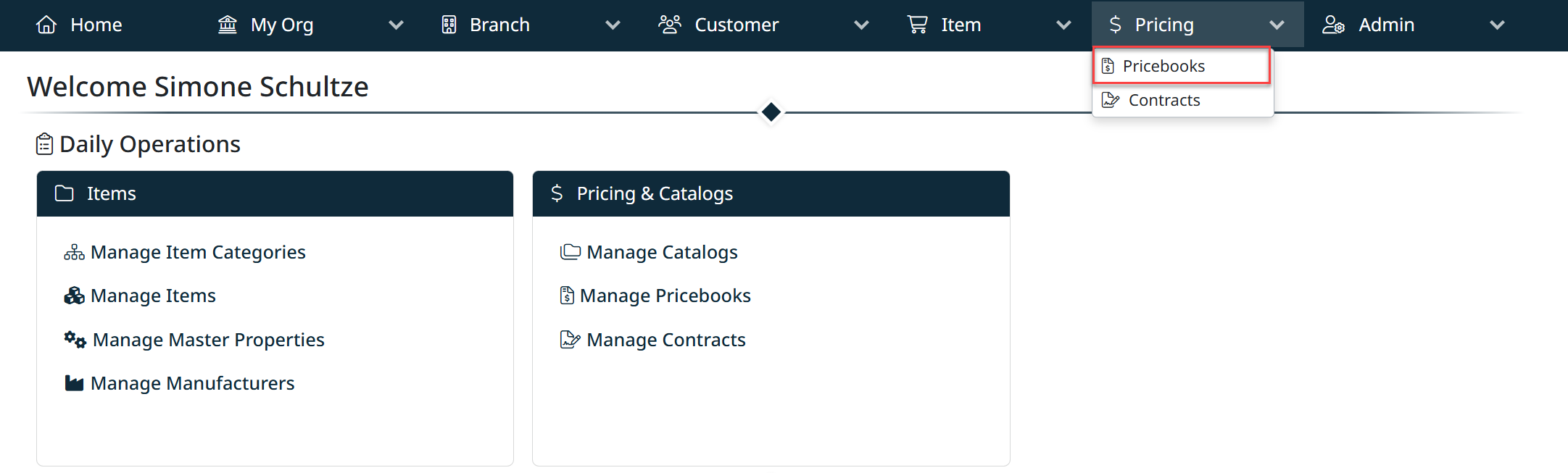
Use the Pricing menu to manage all pricing-related data.
- Pricing → Pricebooks
Opens the Pricebook Management screen, where master and customer pricebooks are defined. - Pricing → Contracts
Opens the Contract Management screen, where customer contracts and pricing agreements are managed.
Why They Are Separated
Although Catalogs, Pricebooks, and Contracts are related, they serve different purposes:
- Catalogs define what items are available
- Pricebooks define how items are priced
- Contracts define customer-specific pricing rules
Separating these options in the navigation improves clarity and makes it easier to manage each function independently, while still presenting them together on the Home page as part of the broader Catalog & Pricing workflow.
Created with the Personal Edition of HelpNDoc: Effortlessly Create High-Quality Documentation with a Help Authoring Tool